Now when registering a Google account, you need to verify your phone number. Here is a brief introduction to the registration process that avoids linking a phone account.
Why do you need to verify your phone number when registering a Google account?
According to the official statement, the requirement to fill in the phone number in the registration process is random, mainly to avoid abuse or malicious registration of junk accounts. But the statement is obviously not true. In actual operation, whether or not to use private browsing, the phone verification step cannot be skipped. There are a lot of related problems not only in China, but also abroad.
Specific ideas for skipping mobile phone verification
There are many ways to register a Google account. All Google services/products can jump to this page. You can skip the phone verification from the registration page of some services. According to netizens’ tests, the current effective entrances include Google APP, Chrome, Android phone account login, etc. If there are invalid methods or other supplements, please add them in the comment area.
1. Mobile: Register a Google account in Google App
1.1 Install Google APP
Download address for Android or iOS version; after installation, perform the operation as shown in the figure and log in to the account.
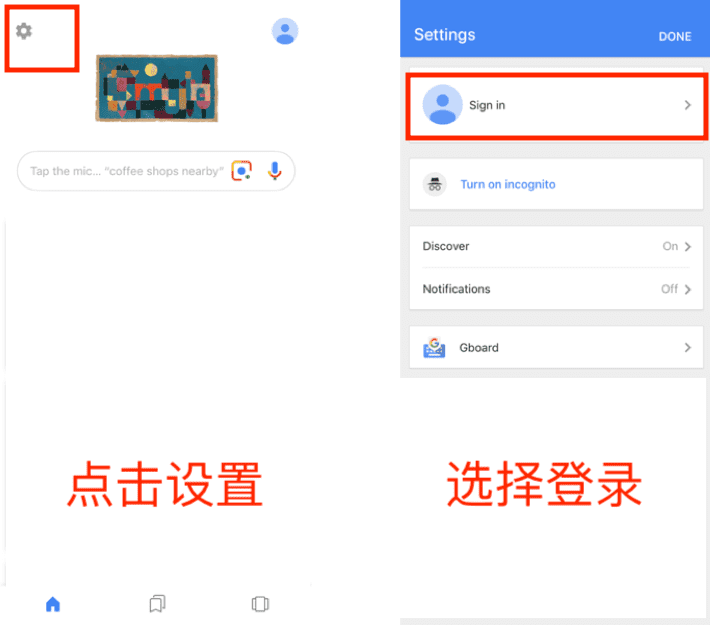
1.2 Enter the registration process:
Fill in basic information such as name, date of birth, gender, email account, etc.
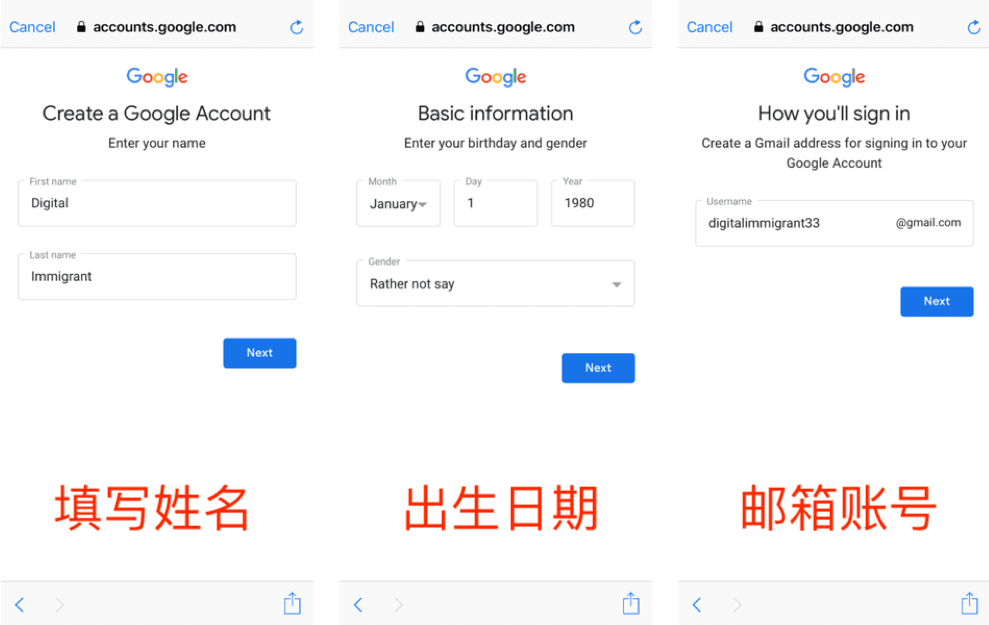
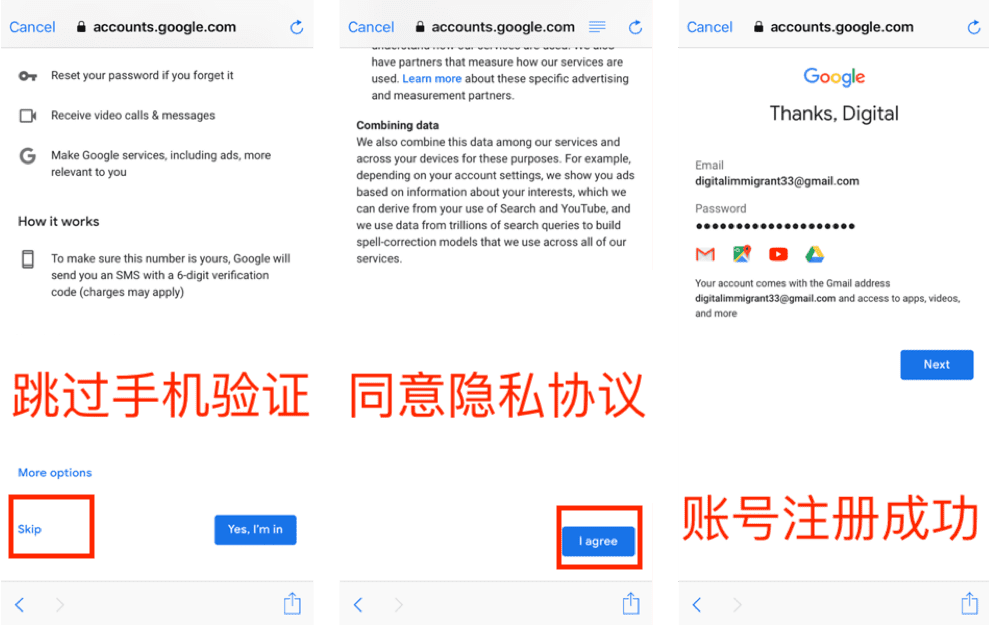
1.3 Enter the mobile phone verification, click Skip;
Agree to the privacy agreement;
Get account information.
2. Desktop: Register a Google account through Chrome
2.1 Install Chrome browser
Select a login account; if you are already logged in, you need to log out first.
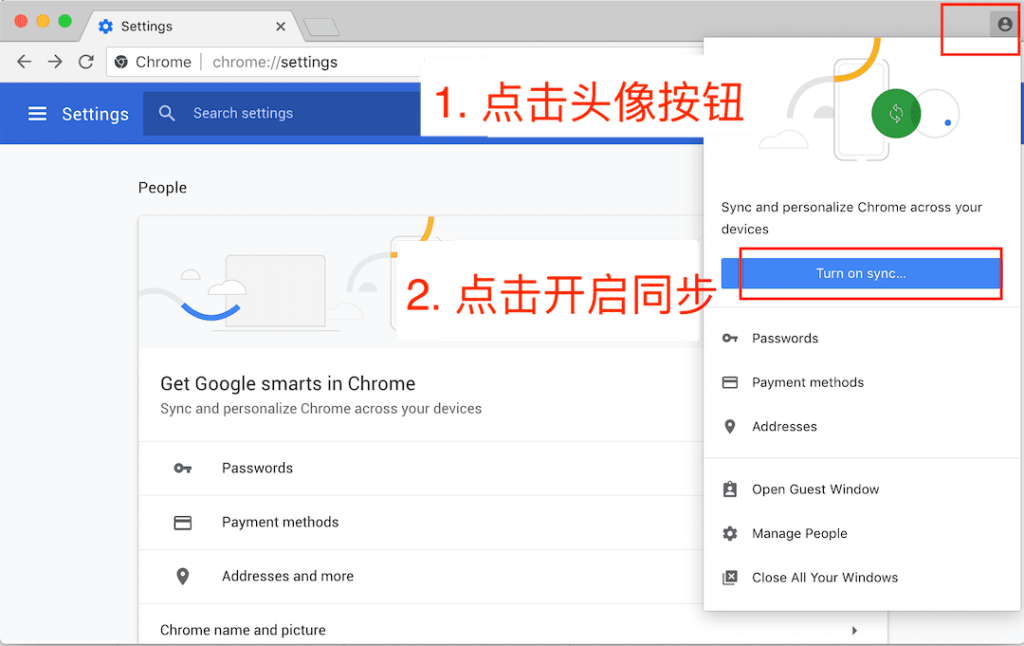
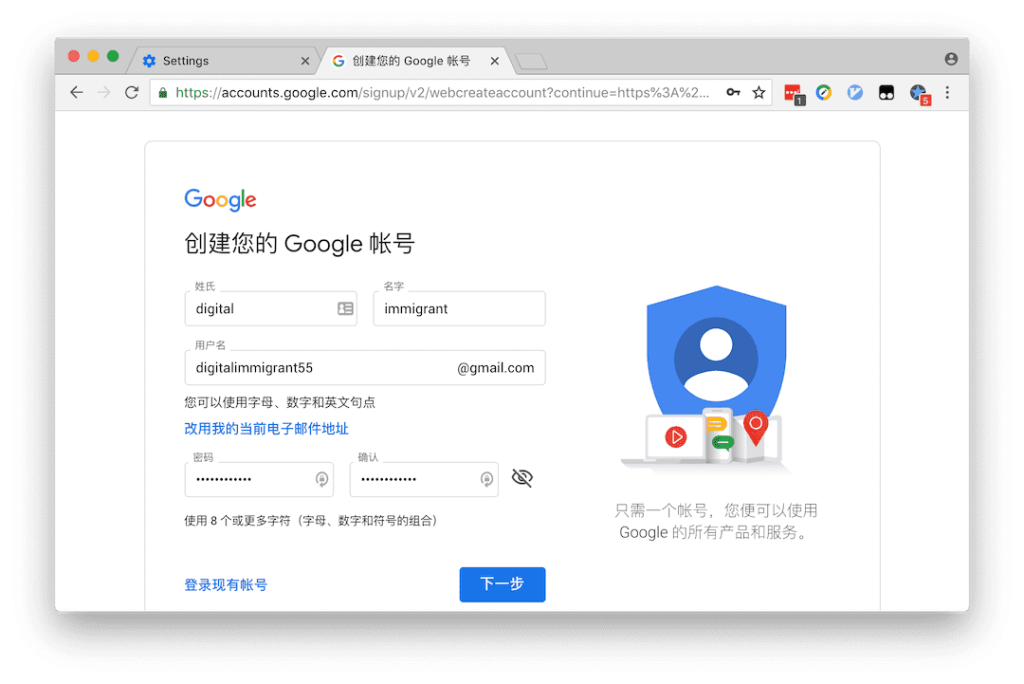
2.2 Enter the registration process
Fill in basic information such as name, email account, email password, etc.
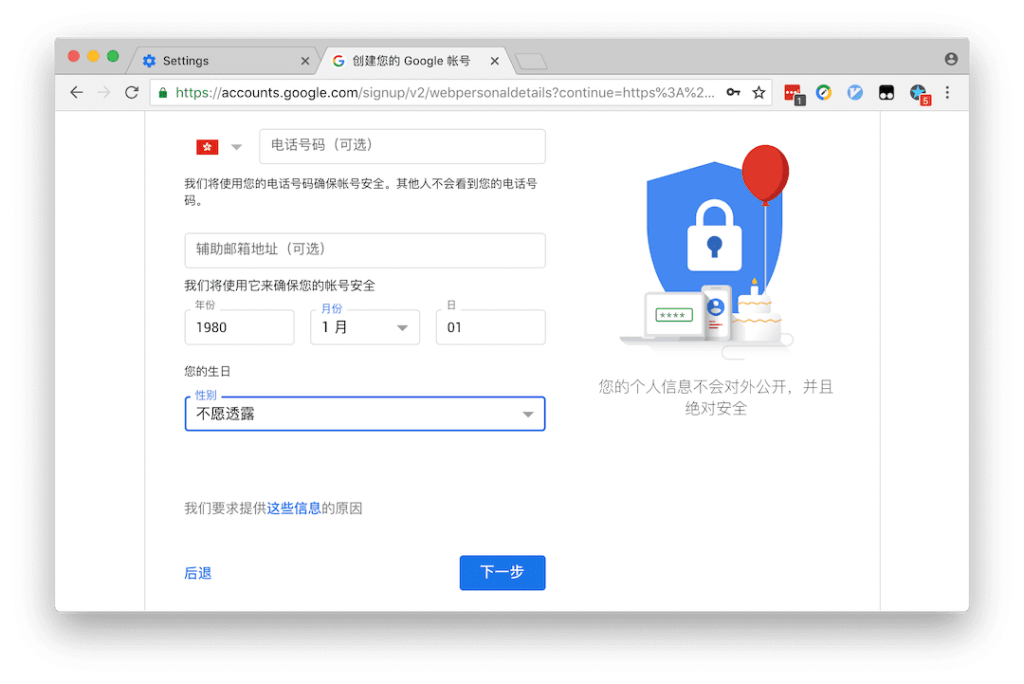
2.3 Continue the registration process:
You can leave your mobile phone number and secondary email address blank; information such as date of birth, gender, email account, etc.
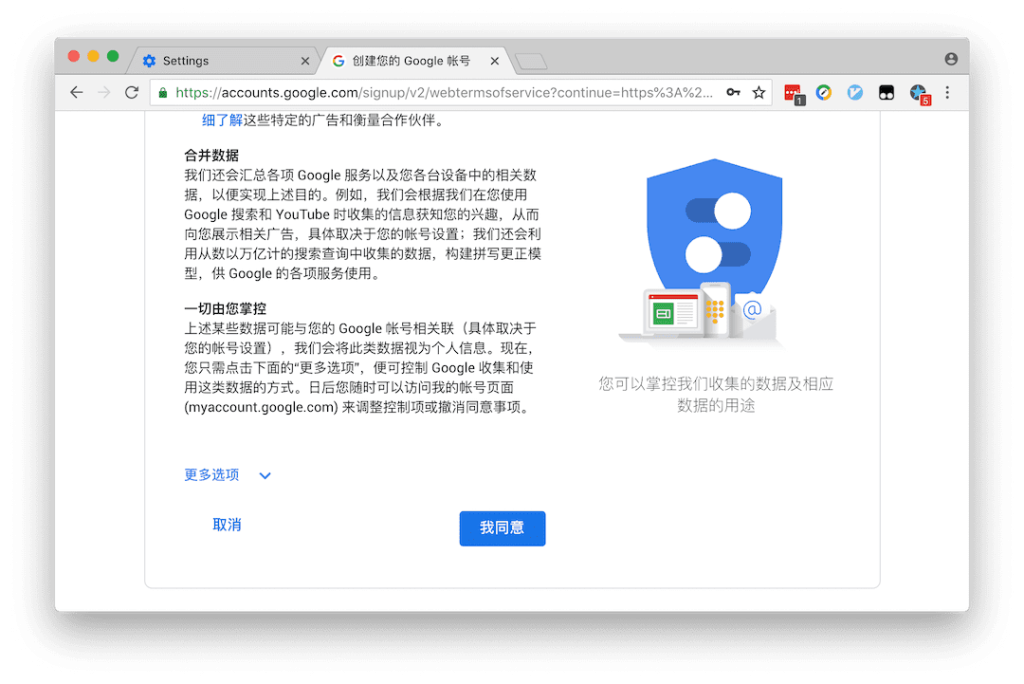
2.4. Agree to the privacy agreement, and then jump directly to the Chrome sync window. If there are history records, labels, etc., you will be prompted whether to merge the records into the new account. Done!
3. Exclusive for native Android phones: Register for Gmail/Google account
It is very simple to register a Google account on a native Android phone that has passed GSM certification. Just add an account in the settings and select the registered account, and you can easily skip the verification of the mobile phone number. This method is not universal. At the same time, this method is also theoretically applicable to attempts in virtual machines such as Bluestack. It has not been verified whether it works.
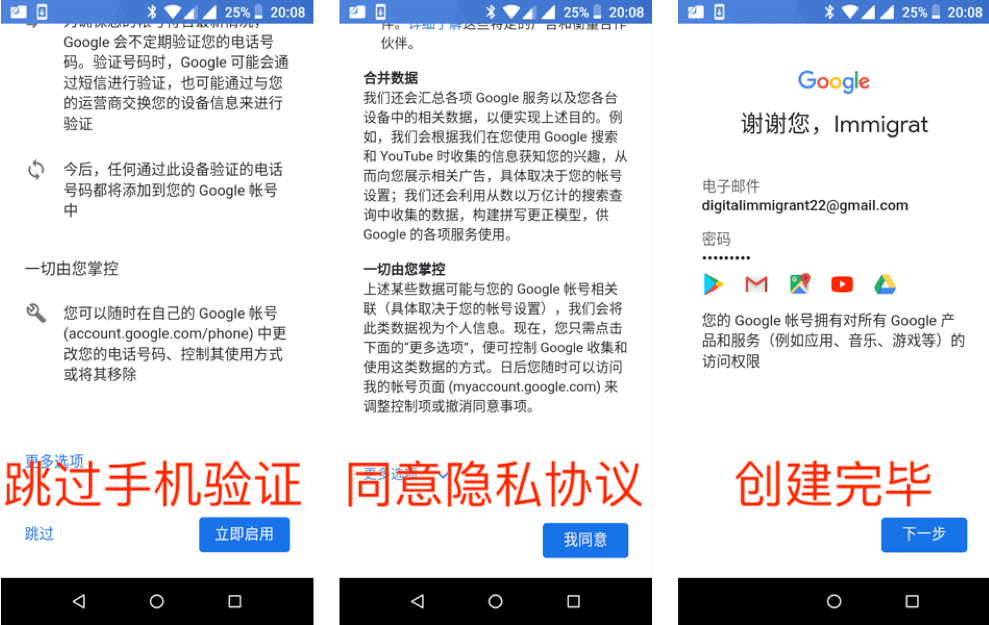
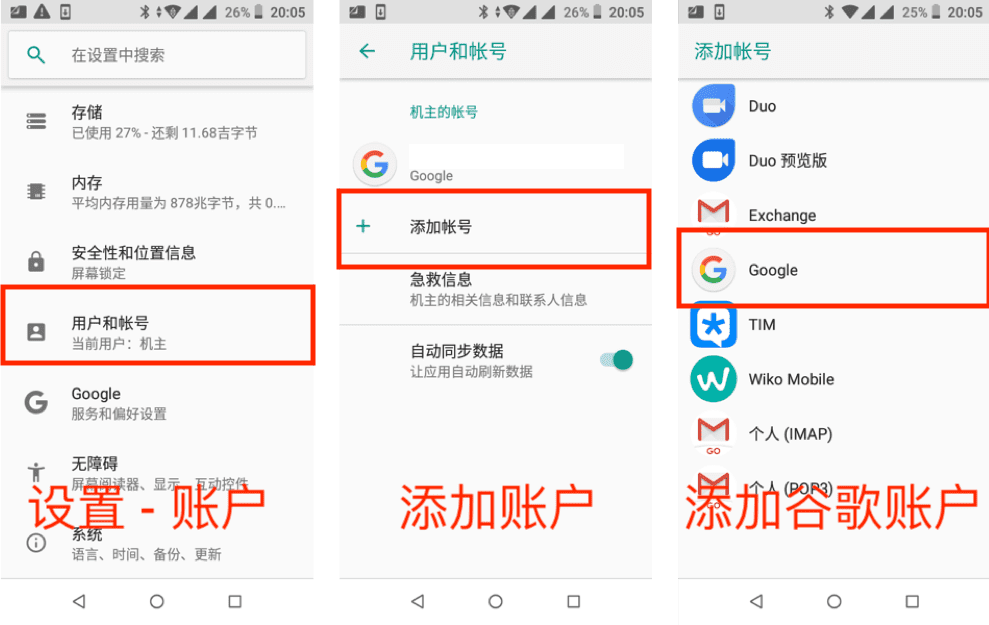
3.1 Go to “Settings” on your phone – “Users and Accounts” – “Add Account” – Select Google Accoun
3.2 Enter the operation process, which is the same as the first method, and fill in basic information such as name, date of birth, gender, email account, etc.
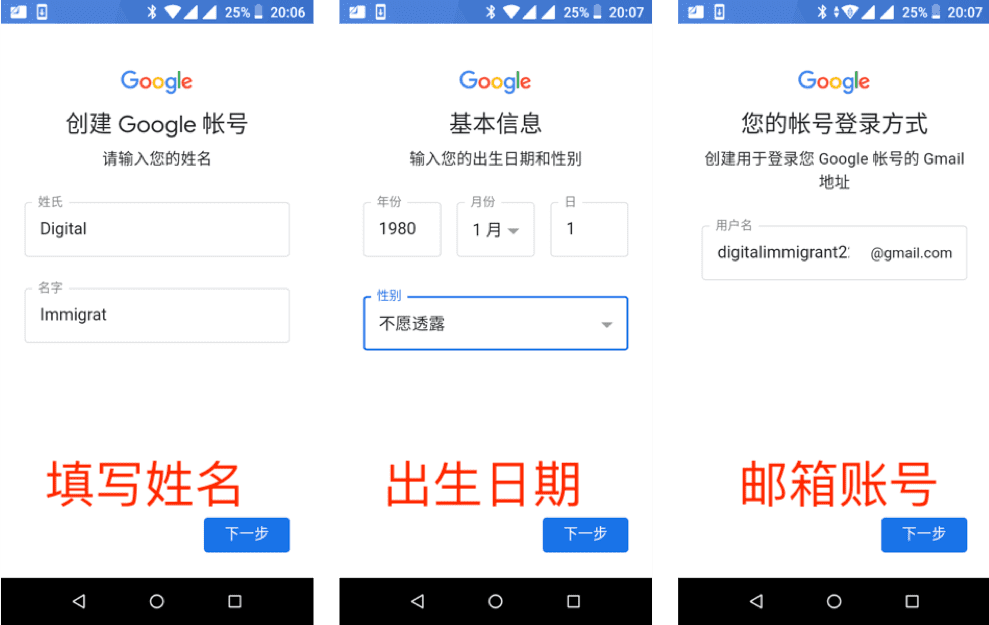
3.3 It is still the same as the first method. You can directly skip the mobile phone verification; after agreeing to the privacy agreement, the account creation is complete.